Visual Intake
Collect screenshots, design references, URLs, affected breakpoints, browser details, and product notes in one repair session.
UIRescue AI analyzes real screenshots, frontend code, responsive behavior, and design intent to generate repair plans, patch previews, and launch QA reports.
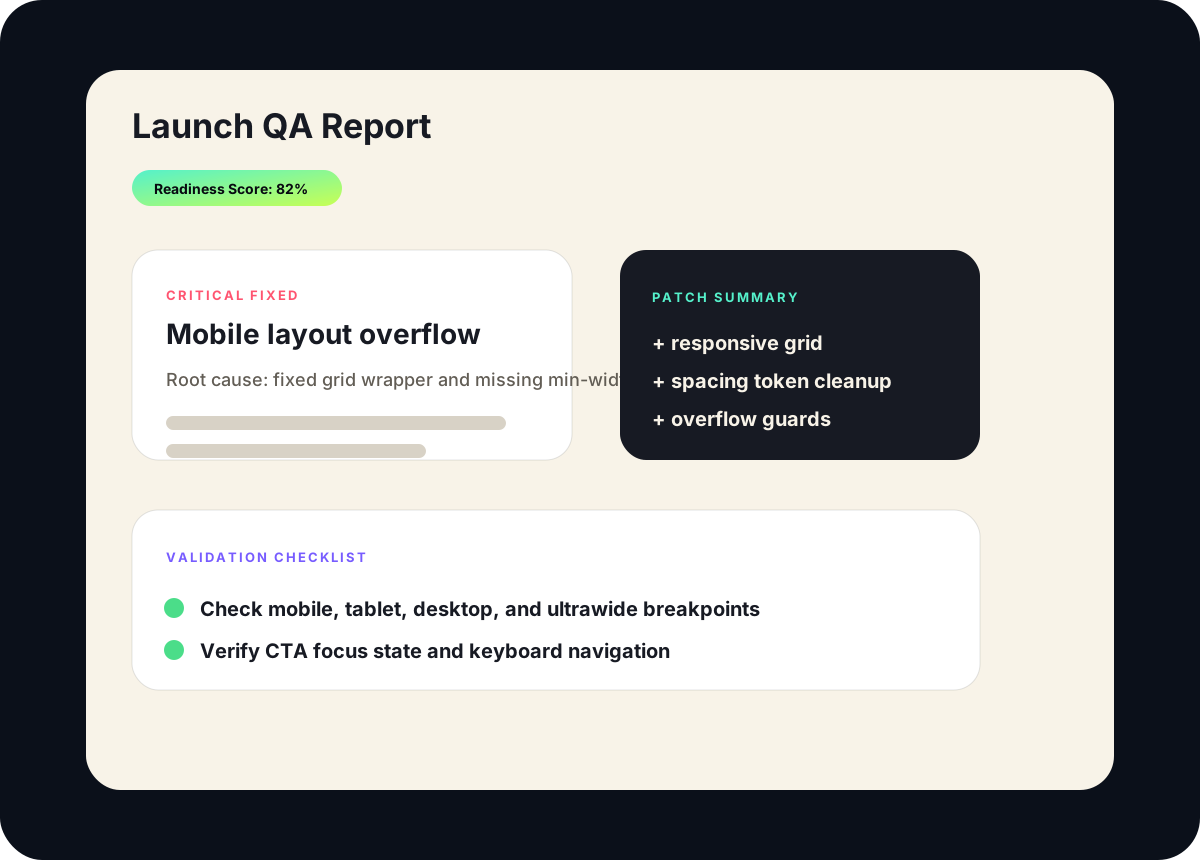
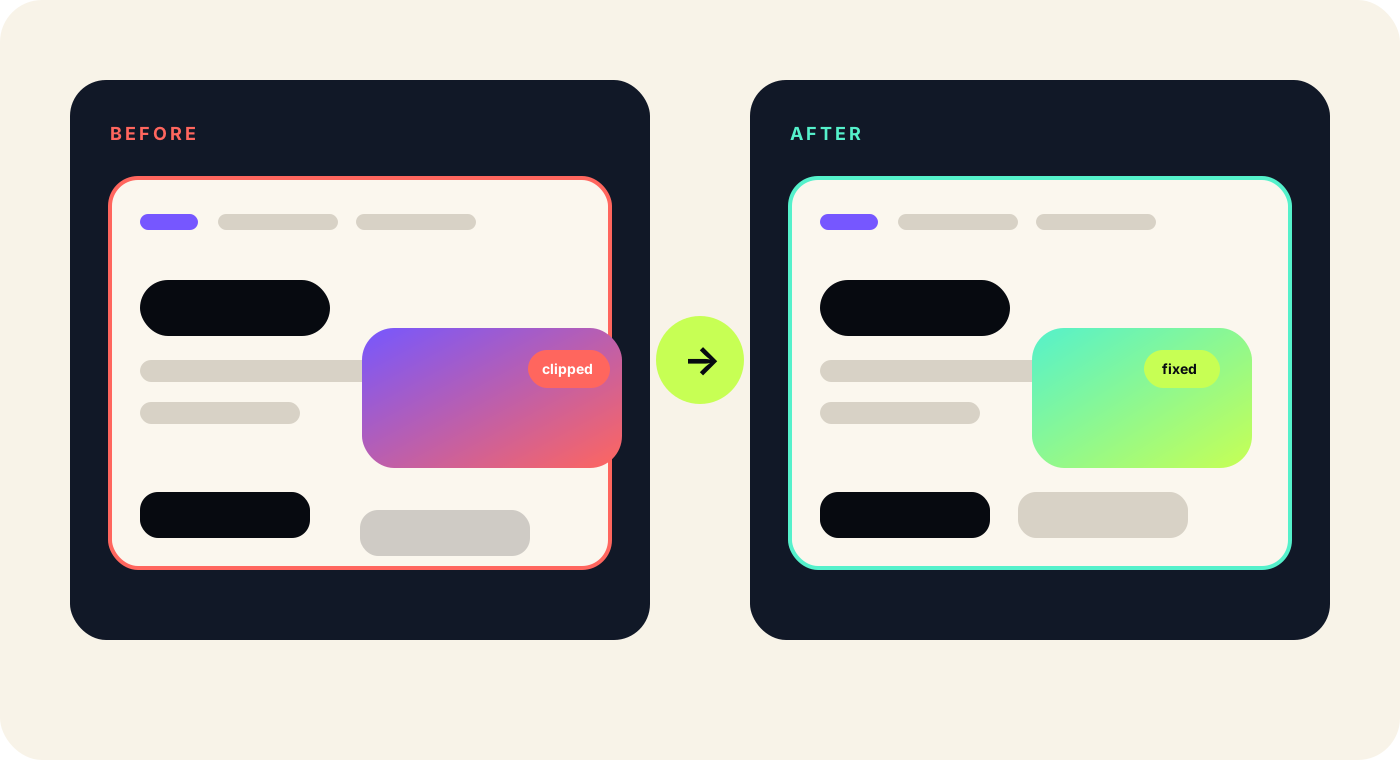
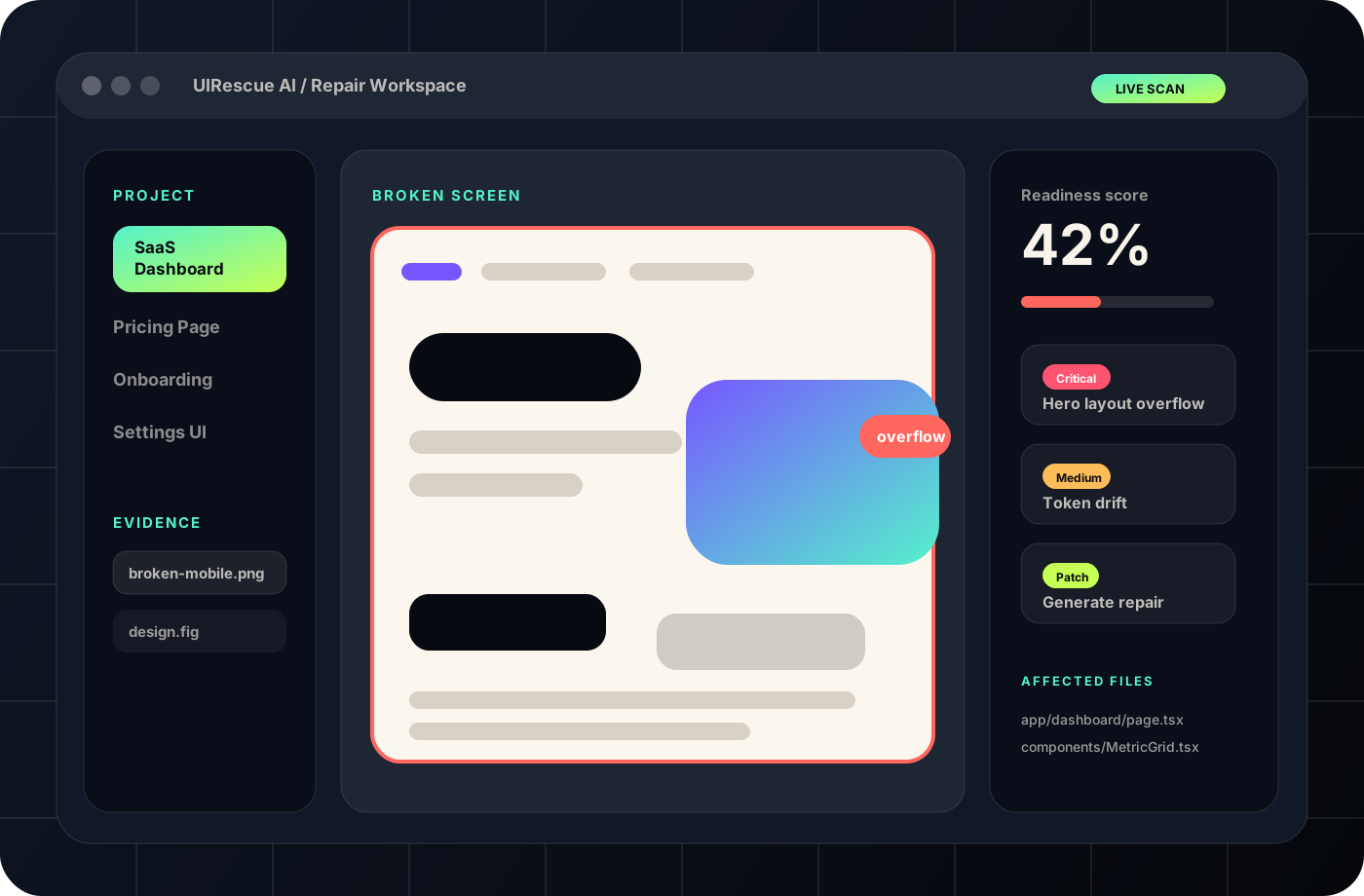
V5 uses original SVG product images to make the website feel like a real SaaS product instead of a generic landing page.
The workspace image includes project navigation, evidence files, a broken screen canvas, severity issues, readiness score, and affected files.
Explore product platformInstead of flat template cards, UIRescue AI V5 uses stacked product layers: workspace, before/after comparison, report preview, floating metrics, and patch context.
Open workspace pageThe product now explains actual modules needed for a frontend repair platform.
Collect screenshots, design references, URLs, affected breakpoints, browser details, and product notes in one repair session.
Compare broken screens with target references to identify layout drift, spacing issues, visual hierarchy problems, and component mismatch.
Map visual issues back to React components, Next.js routes, Tailwind utilities, CSS modules, and design tokens.
Preview suggested layout, CSS, Tailwind, accessibility, and component changes before applying them.
Export a structured report with severity, affected files, root cause, before/after notes, QA checklist, and readiness score.
Route repair plans through founder, designer, developer, and QA review before merging UI fixes.
The comparison image shows actual dashboard repair behavior: clipped UI, overflow, CTA alignment, spacing changes, and final fixed layout.
Every solution card speaks to a real business workflow, not just generic feature text.
Fix dashboards, landing pages, pricing screens, onboarding, and investor-demo UI before launch.
Better first impression, fewer embarrassing visual bugs, and clearer launch readiness.Turn client screenshot feedback into structured frontend repair tickets and delivery reports.
Cleaner handoff, faster revision cycles, and more professional client communication.Repair AI-generated UI that looks close but breaks across real screens, components, and flows.
Less prototype feeling and more production-grade product experience.Map UI defects to root-cause files, wrappers, tokens, CSS rules, and component decisions.
Less random CSS debugging and faster issue resolution.Detect spacing, typography, color, and component drift across repeated UI patterns.
More consistent products and fewer design regressions.Create launch QA evidence before customers, investors, or enterprise buyers see the product.
More confidence before every release.This form connects to the Next.js backend API and stores requests in local JSON during development.